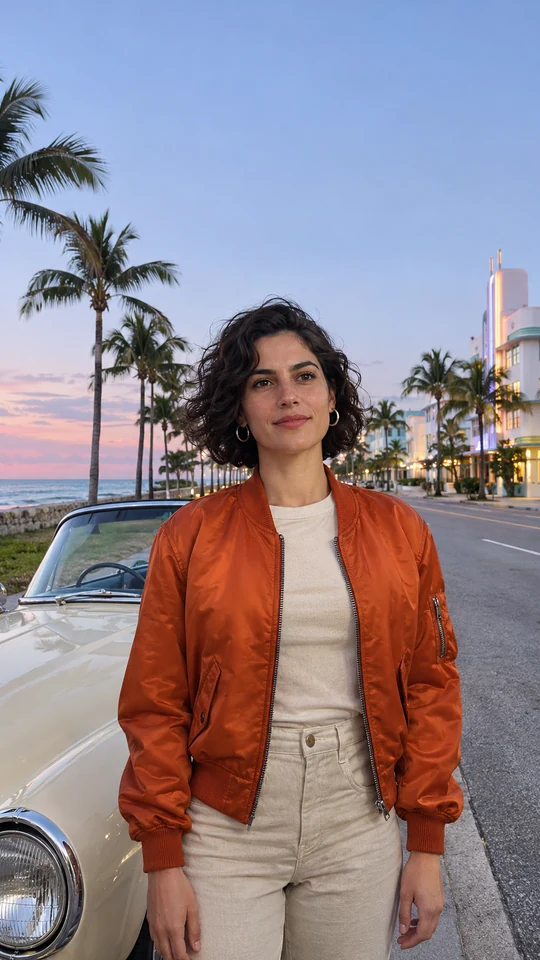
Ocean Avenue
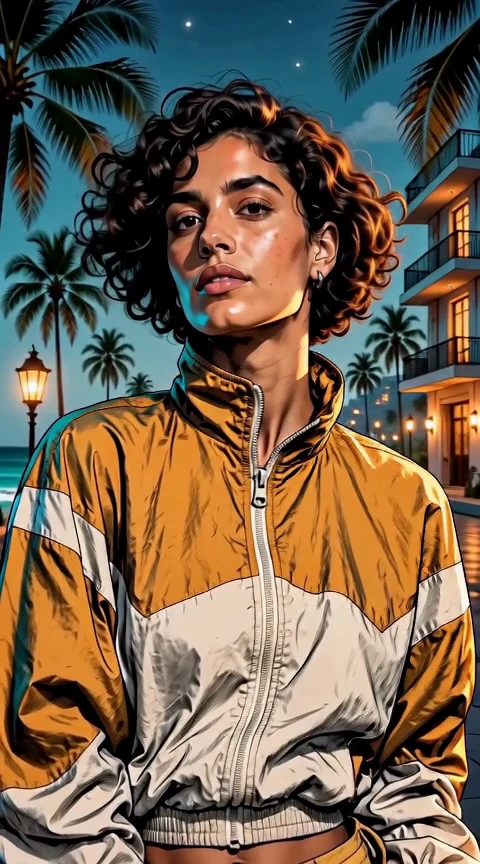
The camera draws in toward your portrait on a pastel waterfront boulevard lined with palms.
Pick a scene. Add one photo, or two for a duo.
Compare how the setting and camera move shape each portrait video. Two Outlaws brings two people into one shot. The other previews each start with one source photo.
The camera draws in toward your portrait on a pastel waterfront boulevard lined with palms.
Two people appear side by side against a sunset street as the camera moves gently closer.
Sharp light and shadow frame the portrait and a parked getaway car in this illustrated clip.
The camera tracks beside an open-top car as warm evening sun lights the animated portrait.
Red and blue light alternates across the same city shot to create a chase-film atmosphere.
The camera pushes toward your portrait in violet and copper light at a late-night club entrance.
A sideways camera move brings the sunlit shore into view behind your portrait.
The camera moves past the portrait on a speedboat as a trail of white water opens behind it.
Keep the source photo as the setting guide and redraw its landmarks in ink and color.
A sideways camera move catches pink and turquoise reflections on the wet crossing.
The camera arcs gently around the portrait in amber light outside a roadside motel.
An eye-level glide lets the city skyline drift against a rose and navy sky.
A slow push brings the portrait closer against the teal and red glow of a retro diner.
The camera glides sideways close to the portrait, with pastel ramps in the morning light.
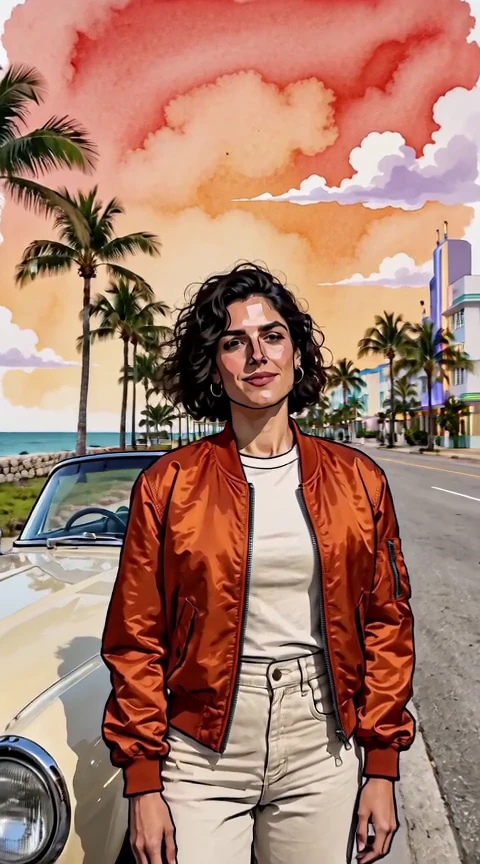
The GTA 6 AI Filter turns portrait photos into an animated portrait video. Ink contours, painted shadows, and blocks of color appear from the opening frame. The source photo guides the likeness while your chosen scene sets the surroundings, lighting, and camera move. Use Original Scene to keep your setting as a reference, or choose a new location such as a waterfront boulevard or a late-night club. Two Outlaws uses one photo for each person and brings both into the frame.
A GTA-style illustration can start with the room you already photographed. In one published example, AI Media Studio redrew a portrait while keeping its doorway, plant, framing, and sweater recognizable. Clear landmarks also help Original Scene bring the setting through into a moving clip. AI Media Studio — Keep Your Own Background
Strong outlines, warm light, and pools of neon color are some of the design cues people associate with the GTA 6 filter look. Painted light and graphic shadows change how your silhouette reads in an animated portrait. Compare the warm glow of Desert Motel with the wet reflections in Neon Crosswalk to see how the same source photo can set up two different clips. MagicShot — GTA 6 AI Filter Style Guide
Use one clear JPEG, PNG, or WebP portrait for a solo scene, or two for Two Outlaws. Each file can be up to 10 MiB. Both sides must be at least 300 pixels, and each image can be up to 36 million pixels.
Choose a source photo you have permission to use for each person. Give the face enough light to show its outline, hairline, and expression. If the outfit matters to the shot, choose a photo that includes the jacket, shirt, or jewelry you want in the frame. Leave some space above the head and along the sides for a vertical composition.
Choose a scene to see its preview, then add your source photo or use the desktop QR code to upload from your phone. In Two Outlaws, Photo 1 goes on the left and Photo 2 on the right. Choose a quality tier, check the resolution, and set sound to your preference. The scene supplies the animation direction, so you can start without writing a prompt.
Review the credits shown next to the generate action. Use the shared sign-in or credit prompt if your account needs attention, then return to the animated portrait and start it. If the upload reports an error, replace the file with a supported image that meets the size and dimension limits.
Play the opening and ending of your portrait video and check how the face and outfit read against the setting. Download the result directly, or use the download-to-phone QR option on desktop. Add your caption after saving and give the face and details room to breathe.
Try Original Scene when a familiar storefront, a favorite chair, or the light in your studio is part of the story. A GTA 6 filter can also use the source photo to put the focus on a new place. Speedboat Rush starts the portrait video on the water, and VIP After Dark frames a close-up with colored light. Watch the camera move in each illustrated clip before choosing a scene.
If you are deciding what to make, think about where the finished piece will live. A still GTA 6 filter can be useful for a poster or profile picture. CreateVision, for example, shows still poster and collage options. For a vertical feed, choose a 9:16 output and look for subtle changes in expression or composition that read clearly on a phone. CreateVision — GTA 6 Filter
For a creator introduction, open with the animated portrait, then cut to your regular footage. For an outfit post, give the garment and accessories room in the source photo so they are easier to read after the image is redrawn. If you plan to add music or a voice-over later, choose the silent illustrated clip and line up your audio in your editor. Watch the exported clip on your phone before posting, especially if you plan to place captions near the bottom.
It makes an animated portrait video. Lite, Basic and Standard create 5-second 9:16 clips. Lite uses 480p. Basic and Standard offer 480p or 720p. Pro offers 480p, 720p or 1080p and sets the duration and framing automatically.
Yes. Pick Two Outlaws and add two photos you have permission to use, one adult per image. Put the person for the left side in Photo 1 and the person for the right side in Photo 2. Both people appear in the same vertical video.
The source photo guides the likeness. Choose Original Scene to use its background and outfit as references. Other scenes can use their own styling. AI redraws the image as a GTA-style illustration, so colors, textures, and small details can change.
Yes. Select another scene to preview it and reuse the first photo for your next animated portrait. Fill both photo slots if you switch to Two Outlaws. Check the current credit quote before you generate again.
Use a clear source photo with a visible face and even light. A waist-up photo gives the portrait video room to show an outfit and recognizable background details. Keep the face clear of hair, hands, or strong backlight.
The selected scene supplies the illustration style and directs the animation. Add your photo, choose a scene, set sound to your preference, and review the credits before generating.
Yes. Turn sound off before generating if you plan to add a song, narration, or ambient audio in your social editor.
The GTA 6 AI Video Generator is built for a reveal that opens on the source photo and sweeps into a new illustrated scene. The GTA 6 AI Filter puts your selected illustrated scene in the opening frame. GTA 6 AI video generator
The generate area shows the current credit quote. Sign in to generate and check that your account has enough credits to complete the request.
Viral Video AI provides this independent creative effect for making a fan-style animated portrait from your own source photo. The template uses original illustration direction for the clip.
A published still example that redraws an existing room and outfit.
A creator guide to light, color, and illustration cues used in the genre.
Examples of still-image versions for posters and collages.