Make 4–30-second AI clips for TikTok, Reels, and Shorts. Start with a creative format, an idea, or your own media, then preview and download in one place.
JPEG, PNG, WebP ≤10 MiB · MP4/MOV ≤20 MiB, 2–15 s. One reference per video.
01 — Creative formats, ready to shape02 — See the credits first03 — Your result, private by default
CHOOSE THE CREATIVE FORMAT
Viral AI video generator. Make your version.
Original AI video demos for US creators. Choose a pet reaction, a dance, an office jam, surreal ASMR, or a miniature world. Preview a format, then shape your own version.
9:41
No audio
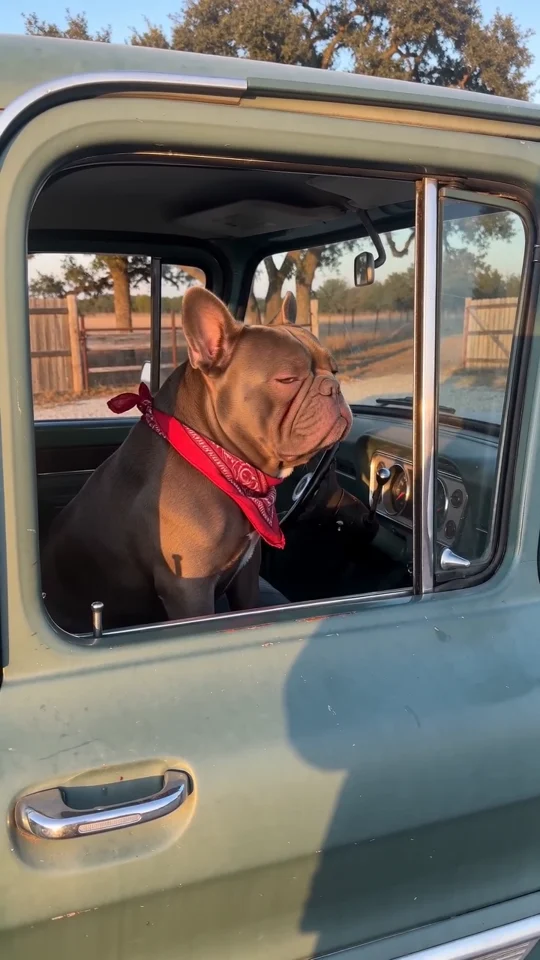
A deadpan pet reaction
01 / 08s
Your pet owns this spot
A pet at a pickup window turns an ordinary situation into a deadpan reaction. Choose what your pet is protecting and give it one readable glance or head tilt. A close-up, a familiar setting, and an unexpected lead character make the joke easy to catch on a phone screen. The dog, truck, and movement in this example are AI-generated.
Start with a clear pet photo or text. A close-up works best for a glance or a head tilt.
Original demo · 720p · silentSee the AI video starting prompt
Subject: A French bulldog wearing a red plaid bandana. Action: turns toward the camera with a deadpan squint. Setting: at the open window of a parked vintage pickup. One continuous smartphone-style shot, natural dog paws, clear reaction, no human hands, no copied dialogue, no text or logos. Keep any vehicle parked.
REAL INPUT. REAL AI VIDEO.
Your input. Your own version.
See the exact input and the AI video it produced. Switch to a video reference to compare a different starting point.
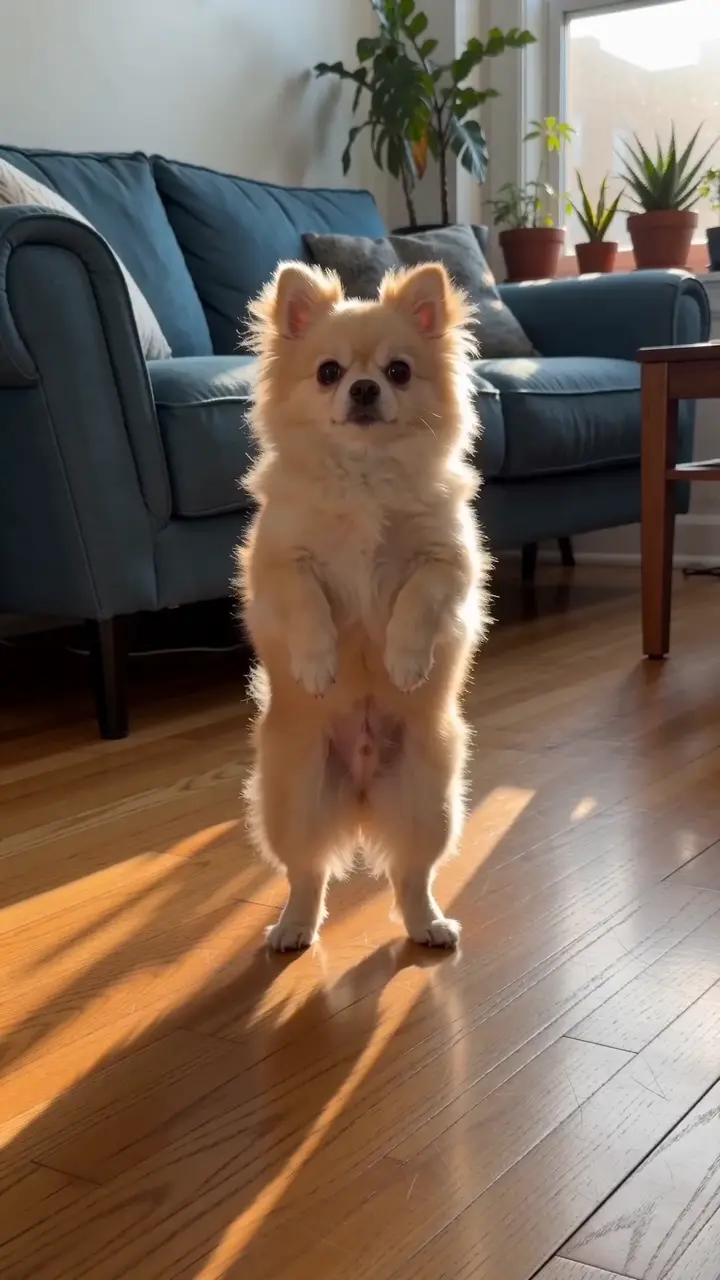
01AI sample image · actual first frame
No audio
02New AI clip · 5 seconds
This sample image was the first frame of a new image-to-video request. The cream-colored dog gives a head tilt and a small shuffle. Bring a clear photo of your own pet; keep one action simple and review the result.
Original AI video demo · 720p · 5 seconds · silent
Add your own media, then review the cost before generating.
View the exact AI video prompt
Use the supplied first frame as the exact starting composition. Keep the same fluffy cream-colored small dog, blue sofa, sunny American apartment living room and natural dog anatomy. In one continuous locked full-body phone-style shot, the dog gives a curious head tilt and then makes two very gentle side-to-side shuffles. Keep all paws visible, preserve the dog appearance, no human hands, no rapid movement, no recognizable choreography, no text, no logos. Silent original AI pet clip.
Try a composition guide on this AI video. Switch platforms, check the subject area, or select a Reels cover frame. These are preview aids; your downloaded video stays clean.
Subject area
TikTok · A visual guide only. Platform controls and crops vary; check the final upload. The guide is not included in your video.
Choose a format and adjust its subject, action, and setting. Apply the brief above, then edit any wording before video generation.
02
Add your media
Describe your idea, add a photo, or use a short reference video.
03
Confirm and create
Review the cost, then generate, preview, and download your video.
BEFORE YOUR NEXT GENERATION
Clear inputs. Clear credits.
Viral Video AI shows the cost before you confirm. A 5-second Basic 720p text-to-video or image-to-video clip is 95 credits. A 5.00-second video reference makes that 5-second output 125 credits. Your exact quote uses measured media and settings. Task credits and cash refunds follow separate rules.
Import a supported public video link you have permission to use. If the video cannot be imported, upload your own local file instead.
What if video generation fails?+
Failed generations return their credits. A video that is still processing needs more time; a completed clip is not treated as failed solely because of a style preference.
Are my media and results public?+
Your media and AI video results are private to your account by default. You can create a share link for a finished clip and revoke it later. The shared view excludes your source file and prompt.
Does Viral Video AI guarantee a viral result?+
Viral Video AI helps create original short content; it does not guarantee views, followers, or sales. Review your AI video and the platform rules before posting. No popularity score or social-performance report is provided.